
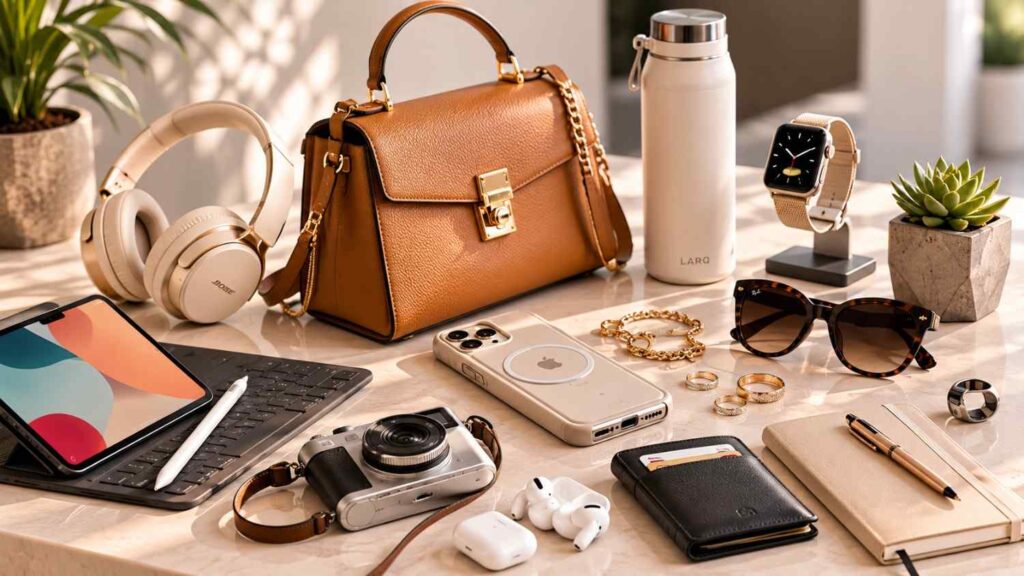
Top 10 Must-Have Accessories for 2026
Modern phones, laptops, tablets, headphones, and wearable devices are more capable than ever, but the experience still depends heavily on the accessories surrounding them. A premium laptop may offer impressive performance while providing only a few ports. A powerful phone can still become inconvenient when its battery runs low during travel. Cloud storage is useful, but professionals who handle large files may need fast local storage. Strong passwords help, but sensitive accounts can benefit from hardware-backed authentication.
For that reason, the Top 10 Must-Have Accessories for 2026 focus on solving practical problems rather than promoting novelty products. Each recommendation has a clear function, whether it is reducing charger clutter, improving connectivity, protecting important accounts, locating personal belongings, or creating a more comfortable workstation.
This guide does not rank specific brands or models because availability, pricing, warranties, and regional certification can vary. Instead, it explains which accessory categories offer the most value and what specifications readers should check before buying. That approach makes the article useful whether someone is purchasing affordable essentials, premium equipment, or accessories for a mixed ecosystem of Apple, Android, Windows, ChromeOS, or other devices.
In my experience, the strongest technology setup is rarely the one with the most products. It is the one in which every accessory has a purpose, works reliably with the user’s existing devices, and reduces the number of separate items they must carry. The following recommendations help build that kind of practical, future-ready setup.
Why Everyday Tech Accessories Matter in 2026
Everyday technology accessories have become more important because people increasingly move between several working environments and device ecosystems. A typical user may begin the day on a laptop, continue a task on a phone, join a video call with wireless earbuds, transfer files to a tablet, and finish work from a shared office or hotel room. Accessories connect those experiences and reduce the friction created by limited batteries, inconsistent ports, different charging requirements, and changing physical workspaces.
The shift toward USB-C has simplified some connections, but it has not made every product interchangeable. Two USB-C ports can look identical while supporting different charging limits, display outputs, and data speeds. Wireless chargers may also differ in certification, magnetic alignment, and maximum power. Bluetooth headphones can support different codecs and operating-system features. Item trackers depend on specific finding networks, while hardware security keys must be supported by the accounts and devices a person uses.
This makes informed purchasing more valuable than simply choosing a popular product. A well-selected accessory may serve several devices for years, while a poorly matched product can introduce new cables, adapters, and reliability problems. Before buying, consider the accessory’s standards, physical design, ecosystem compatibility, warranty, and actual role in your routine.
The Top 10 Must-Have Accessories for 2026 therefore emphasize flexibility and repeat usefulness. They are not included because they look impressive in a technology bag. They are included because they solve problems that occur at work, at home, during study, and while travelling. The next two sections explain how standards and practical value should shape every accessory decision.
Standards Matter More Than Brand Names
Recognized standards give buyers a more reliable way to compare accessories than broad advertising terms such as “superfast,” “professional grade,” or “universal.” A charger may be described as powerful, but the useful questions are whether it supports USB Power Delivery, how much power each port can supply, and how output changes when several devices are connected. USB Power Delivery currently supports up to 240W when the charger, cable, connector, and receiving device are designed for that level.
Cables deserve the same attention. USB-IF requires compliant USB-C-to-USB-C cables to display either a 60W or 240W power-capability marking. That marking describes charging capability, but buyers must still check the cable’s separate data and video specifications. A cable that charges a laptop successfully may not deliver the transfer speed required by a high-performance portable SSD.
Standards also matter for Qi2 wireless charging, Bluetooth LE Audio, item-tracking networks, and FIDO authentication. Choosing certified or officially supported products reduces uncertainty and makes it easier to understand which features should work. Brand reputation remains relevant for quality, service, and warranty support, but a famous name cannot compensate for an incompatible specification.
Practical Accessories Beat Novelty Gadgets
A practical accessory solves a problem that occurs regularly and produces an improvement the user can notice. A compact charger that replaces three bulky adapters creates obvious value every time it is used. A portable SSD can shorten file-transfer workflows and provide a local backup option. A tracker can reduce the time spent searching for keys or luggage, while a laptop stand can make temporary workspaces more comfortable.
Novelty gadgets often create the opposite experience. They may perform one narrow function, depend on a proprietary application, require another charging cable, or become unnecessary after a short period. Before purchasing one, ask how often it will be used, which existing item it replaces, and whether its core function can continue without a subscription or discontinued application.
I recommend applying a simple repeated-use test. Estimate how many times the accessory will solve a real problem during an average month. Then consider its size, charging needs, maintenance requirements, and compatibility. A modest accessory used every day generally offers more value than an advanced product that remains in a drawer.
This practical approach also controls spending. Instead of buying an entire collection at once, build the setup gradually. Start with charging and connectivity, then add storage, security, tracking, audio, or ergonomic equipment according to the problems that remain.
While practicality should remain the priority, keeping an eye on 2026 accessory trends can help you distinguish genuinely useful innovations from short-lived fads.
The Three Charging Accessories Worth Buying
Charging accessories deserve the highest priority because nearly every modern mobile setup depends on them. Phones, tablets, laptops, earbuds, watches, cameras, handheld gaming devices, and power banks may all need charging during the same day. Carrying the original adapter for every product adds weight and creates cable clutter, particularly for commuters and travellers. A carefully planned charging system can replace several separate adapters while supporting devices from different manufacturers.
The three strongest categories are a multi-port GaN charger, a capable USB-C power bank, and a certified Qi2 magnetic wireless charger. They perform different roles. The GaN charger provides efficient mains power for several devices. The power bank supplies energy when an electrical outlet is unavailable. The Qi2 charger offers convenient magnetic placement for compatible phones and accessories at a desk, bedside table, or shared charging area.
These products should be selected as a system rather than as isolated purchases. The charger’s output must match the devices. The cables must support the intended wattage. The power bank must provide enough output for its target device. The wireless charger may also require an appropriate USB-C power adapter that is not always included.
Safety, certification, and thermal management matter as much as headline speed. Avoid unknown accessories that provide incomplete specifications, unclear warranty terms, or no information about supported charging protocols. When travelling by air, remember that power-bank rules can be stricter than rules for ordinary electronics. IATA guidance states that spare batteries and power banks belong in carry-on baggage, although travellers should always confirm the requirements of their airline and destination.
1. A Multi-Port GaN USB-C Charger
Gallium nitride, commonly shortened to GaN, is a semiconductor material used in many compact power-conversion products. Texas Instruments explains that GaN can enable faster switching, higher efficiency, and greater power density than traditional silicon solutions. In consumer chargers, those properties can help manufacturers design smaller adapters capable of supplying substantial power.
A multi-port GaN charger is most useful when it can replace the separate adapters normally carried for a laptop, phone, tablet, earbuds, or other USB-C devices. However, buyers should not evaluate it by the largest wattage number alone. Manufacturers often advertise the charger’s total output, while the amount available from an individual port may decrease when other ports are active.
Review the port-distribution chart before buying. Check how much power the primary USB-C port supplies when used alone, how output changes with two or three connected devices, and whether lower-power USB-A ports are included for older accessories. The physical design matters too. A heavy charger may loosen in poorly supported wall sockets, while closely spaced ports can make thick cable connectors inconvenient. For most users, a two-port or three-port model offers the best balance between portability, output, and everyday simplicity.
2. A USB-C Power Bank With Power Delivery
A USB-C power bank provides backup energy during commutes, conferences, outdoor work, long journeys, electrical interruptions, and days spent away from a reliable outlet. Its usefulness depends on more than battery capacity. Buyers must also consider output wattage, input speed, port configuration, physical weight, thermal behaviour, and compatibility with the devices they plan to charge.
Start by identifying the largest device the power bank must support. A model intended only for phones and earbuds can be smaller and lighter than one expected to charge a laptop. If laptop charging is required, verify that the USB-C port supplies the wattage and charging profile recommended for that computer. A higher-capacity power bank with weak output may still charge a laptop very slowly or fail to maintain its battery level during demanding use.
For air travel, check watt-hour capacity and airline restrictions rather than relying only on the milliamp-hour figure shown in marketing. IATA’s 2026 passenger guidance states that power banks should be carried in cabin baggage and outlines limits and handling precautions, but individual airlines may apply additional conditions.
Useful features include a clear battery display, fast recharging, protected ports, and pass-through charging where properly implemented. Avoid treating an integrated cable as the only connection because it may be difficult to replace if damaged.
3. A Qi2 Magnetic Wireless Charger
Qi2 magnetic wireless charging improves convenience by aligning compatible devices with the charging coil. Better alignment reduces the need to reposition a phone repeatedly and can make stand-style chargers more reliable for desks, kitchens, and bedside use. The Wireless Power Consortium describes Qi2 as a certification-based standard built around interoperability, efficiency, and magnetic attachment. Qi2 25W extends the standard with nearly 70% more charging power than the original Qi2 profile for compatible products.
Compatibility must be confirmed at every part of the setup. The phone must support the relevant Qi2 profile, the case must not interfere with magnetic placement, and the charger may require a power adapter capable of supplying sufficient input. A product advertised as “magnetic” is not automatically Qi2 certified, so check the certification information rather than relying on appearance.
Choose the physical format according to location. A flat charging pad is compact and easy to pack. An upright stand keeps notifications, timers, video calls, and standby information visible. A multi-device station can reduce cable clutter when it supports a phone, earbuds, and wearable, but buyers should verify the charging standard used by every position. Wireless charging is best viewed as a convenience option rather than a complete replacement for wired charging, particularly when maximum speed or power efficiency is the priority.
Connectivity and Storage Essentials
Connectivity accessories allow slim laptops, tablets, and phones to perform tasks that their built-in ports cannot handle alone. Manufacturers often reduce the number of physical connections to keep devices thin and portable, but users may still need external displays, card readers, wired networks, storage drives, microphones, keyboards, and legacy USB equipment. A carefully selected cable, hub, and portable SSD can turn a minimal mobile device into a capable workstation.
The challenge is that USB-C describes a connector shape rather than one guaranteed level of performance. Ports and cables may support different power limits, data speeds, display standards, or combinations of these features. A user can therefore connect two products successfully yet receive slower performance than expected. In other situations, a monitor or drive may not operate because one part of the connection lacks the required capability.
This section recommends three complementary accessories. A clearly rated USB-C cable creates a dependable connection. A USB-C hub expands the number and variety of available ports. A portable SSD provides high-capacity local storage for backups, projects, photographs, videos, and other large files.
Advanced users should document the specifications of every device in the connection chain. Beginners can simplify the process by starting with the task they need to perform. For example, someone who needs to connect one 4K monitor should verify display support, while a photographer may prioritize fast card-reading and storage performance. Buying according to the task reduces the chance of paying for ports or speed levels that the user cannot use.
| USB-C Accessory | Primary Purpose | Key Specification to Verify | Best Use Case |
|---|---|---|---|
| USB-C Cable | Charging and data transfer | 60W/240W rating, data speed, video support | Daily charging and file transfers |
| USB-C Hub | Expand connectivity | HDMI support, USB ports, Ethernet, PD passthrough | Laptops with limited ports |
| USB-C Power Bank | Portable charging | Battery capacity, output wattage, PD support | Travel and remote work |
| Multi-Port GaN Charger | Charge multiple devices | Total wattage, number of USB-C ports | Home, office, and travel setups |
| Portable SSD | External storage | Capacity, read/write speed, file system compatibility | Backups and large media files |
4. A Clearly Rated USB-C Cable
A USB-C cable should be selected according to three separate capabilities: charging power, data speed, and video support. These functions are related but not identical. A cable can support high-power charging while offering only basic data performance. Another cable may transfer data quickly but be unnecessarily thick or short for simple bedside charging. Buyers should avoid assuming that every cable with the same connector performs the same functions.
USB-IF’s certified power markings distinguish 60W and 240W USB-C cable capability. These labels make it easier to match a cable with chargers and devices, especially for high-power laptops. They do not replace the need to check separate data-transfer and display specifications.
A practical setup usually includes more than one cable type. Keep a short, durable cable for a power bank or travel organizer and a longer cable for desks, hotels, or difficult outlet locations. For portable SSDs and docks, use a cable clearly rated for the required data speed. Look for strong strain relief, secure connectors, legible specifications, and a length that suits the task without creating unnecessary resistance or clutter.
It is also helpful to label similar-looking cables. A small tag identifying “charging,” “high-speed data,” or “display” can prevent troubleshooting later, particularly in shared offices or complex home workstations.
5. A USB-C Hub or Compact Dock
A USB-C hub expands one device port into several useful connections. Depending on the model, it may provide HDMI, DisplayPort, USB-A, USB-C data ports, SD and microSD card readers, Ethernet, audio, and USB-C power pass-through. The right combination depends on the user’s work rather than on the total number of ports.
Begin by listing the devices that must be connected at the same time. A presenter may need HDMI, USB-A, and pass-through charging. A photographer may prioritize card readers and fast external-storage support. A remote worker may need Ethernet, a webcam, a microphone, and a monitor. Buying a hub around those specific needs produces a cleaner and more reliable setup.
Read the technical limitations carefully. A hub may advertise high-resolution display support but offer a lower refresh rate than expected. Data bandwidth may be shared across several ports, and the power available to the laptop may be lower than the charger’s advertised output because the hub consumes some energy itself. Operating-system and hardware restrictions can also affect multiple-display support.
For permanent workstations, a powered dock may offer more ports and greater stability. For travel, a compact hub is usually easier to carry. Avoid hubs with permanently attached cables that are too short for your setup or difficult to replace if damaged.
6. A Portable SSD
A portable solid-state drive provides fast local storage in a compact format. It is useful for photographers, video editors, designers, students, consultants, developers, and anyone who works with files too large or sensitive to depend entirely on cloud storage. It can also support offline access, temporary project transfers, and structured backup routines.
Choose the drive according to capacity, interface speed, physical durability, warranty, and the devices that will access it. The advertised maximum speed is achievable only when the drive, cable, connected port, operating system, and workload support that level. Small-file transfers and sustained video workloads may also behave differently from a simple benchmark.
Modern USB-C phones and tablets can work with external storage under supported conditions. Apple documents external-drive access on iPad and states that USB-C-equipped iPhones can connect to external storage devices. Certain professional video workflows may require a specific file system and cable speed, so creators should verify their application’s requirements before recording directly to a drive.
A portable SSD should not be the only copy of important information. Follow a backup plan that keeps additional copies in another location or trusted cloud service. Encrypt sensitive data where appropriate and eject the drive correctly before disconnecting it.
Related Articles
Audio, Tracking, and Security Accessories
Audio, tracking, and security products solve three different types of everyday risk. Audio accessories improve communication and concentration. Item trackers help recover belongings or identify where they were last detected. Hardware security keys strengthen access to important accounts. Although these categories are less connected than charging and storage, each can prevent a small inconvenience from becoming a costly or disruptive problem.
Selecting audio equipment requires more than choosing the product with the strongest bass or most aggressive noise cancellation. Comfort, microphone performance, device switching, battery life, operating-system integration, and supported Bluetooth features may matter more during daily use. A pair of earbuds that sounds excellent but becomes uncomfortable after thirty minutes will not suit long meetings or travel.
Trackers require an ecosystem decision. Apple’s Find My network and Google’s Find Hub network support different products and device experiences. The strongest option is normally the tracker officially supported by the user’s phone platform. Apple introduced a new generation of AirTag in January 2026 with expanded finding capabilities, while Google’s Find Hub can locate supported Android devices and accessories, including offline items.
Security keys require similar compatibility checks. They are most useful when important services support FIDO authentication and when the owner has a backup access method. Together, these three accessories improve how users hear, find, and protect the information and belongings that support their daily work.
7. Bluetooth LE Audio Earbuds or Headphones
Wireless earbuds or headphones should be chosen according to the environment in which they will be used. Office workers may prioritize microphone clarity, multipoint switching, and comfort during long meetings. Travellers may value active noise cancellation, compact storage, and dependable battery life. Runners may need secure fit and water resistance, while home listeners may focus more heavily on sound quality.
Bluetooth LE Audio represents an important evolution in wireless audio. The Bluetooth SIG states that LE Audio operates through Bluetooth Low Energy, introduces the LC3 codec, supports synchronized multi-stream audio, and enables Auracast broadcast audio on compatible equipment. However, availability depends on the headphones, source device, operating system, and software configuration.
Do not assume that a product supports every LE Audio capability simply because it uses a recent Bluetooth version. Confirm the exact features provided by both the headphones and the phone or computer. Microphone testing is particularly important because call quality can vary significantly between indoor and outdoor environments.
Comfort deserves equal attention. Check the weight, clamping pressure, ear-tip options, and control layout. A slightly less advanced product that remains comfortable and reliable throughout the day may provide more practical value than a feature-heavy model that causes fatigue.
8. A Bluetooth or Ultra-Wideband Item Tracker
An item tracker can be attached to keys, luggage, a backpack, a camera case, or another valuable object that is frequently misplaced. It does not replace insurance, careful handling, or secure luggage practices, but it can help the owner identify an item’s last reported location, play a nearby sound, or use precision-finding features where supported.
Ecosystem compatibility is the first buying decision. Apple’s AirTag works through the Find My network, which uses nearby Apple devices to help report the approximate location of an out-of-range item. Google’s Find Hub provides finding functions for supported Android devices, earbuds, trackers, and accessories.
After choosing the network, compare battery type, sound volume, water resistance, attachment design, sharing features, and nearby-finding technology. Some trackers require a separate holder for keys or luggage. Replaceable batteries may be convenient for long ownership, while rechargeable designs reduce the need to buy battery cells.
Trackers should only be used for lawful, transparent purposes involving personal property or items shared with consent. Both major ecosystems include safety measures intended to detect unwanted tracking. Users should keep the tracker’s firmware and phone software updated and respond promptly to unfamiliar-tracker alerts.
9. A FIDO-Compatible Hardware Security Key
A hardware security key is a physical authentication device used to verify access to compatible accounts. Instead of relying only on a password or a code that can be copied into a fraudulent website, FIDO authentication uses public-key cryptography and is designed to provide phishing-resistant sign-in. FIDO also supports passkeys, which replace reusable passwords with cryptographic credentials tied to the correct service.
Security keys are especially valuable for primary email accounts, password managers, financial services, developer platforms, administrator accounts, business systems, and other services whose compromise could affect additional accounts. They are not supported in exactly the same way everywhere, so review each service’s authentication and recovery documentation before changing login settings.
Choose a connector and communication method that works with your devices. Common options include USB-C, USB-A, and near-field communication. Some users may need a key that works across phones, tablets, and desktop computers.
Always register at least one backup method. Many security-conscious users keep a second security key in a separate secure location and store account-recovery codes offline. Test the backup process before depending on the key for a critical account. Strong authentication is most useful when it improves security without creating a single point of failure.
The Best Accessory for Mobile Comfort
Mobile productivity is not determined only by processors, storage capacity, and network speed. Physical comfort affects how long a person can work accurately and without unnecessary strain. Laptop users often spend hours looking down at a low screen while typing on a keyboard that cannot be positioned independently. Temporary workspaces in cafés, hotels, libraries, classrooms, and shared offices can make that problem more noticeable.
A foldable laptop stand is one of the simplest ways to improve screen height and create a more organized working position. It does not make a computer faster, but it can improve camera placement, increase available desk space, and make a temporary workstation feel more deliberate. It is also less expensive and easier to carry than many electronic upgrades.
The stand works best as part of a small ergonomic system. Raising the laptop also raises its built-in keyboard, which may make extended typing uncomfortable. A compact external keyboard and mouse allow the user to position the screen and input devices separately. Travellers do not need to carry this complete setup every day, but it can be valuable during long remote-working sessions.
Some users may gain more from a portable monitor, particularly when their work depends on several windows or detailed timelines. The right choice depends on the workflow. A stand improves comfort and positioning, while a monitor increases screen space. Both can support productivity, but they solve different limitations. The following sections explain where each option fits.
10. A Foldable Laptop Stand
A foldable laptop stand raises the screen closer to eye level and can improve the position of the webcam during meetings. It may also create additional space beneath the computer for a keyboard, notebook, hub, or cables. These advantages make it useful for home offices as well as temporary work locations.
Stability is the most important requirement. Check the supported device size and weight, the width of the base, the strength of the hinges, and the quality of the non-slip contact points. A stand that shifts while typing or collapses under a heavy laptop creates more frustration than value. Ventilation should also remain unobstructed, particularly on laptops that draw cooling air through the underside.
Portability requires a balance. Very light stands are easy to carry but may be less stable. Strong metal models can support larger computers but add weight to a travel bag. Adjustable height and angle provide more flexibility than a fixed design, although additional hinges may affect simplicity.
For longer work sessions, pair the stand with an external keyboard and pointing device. The stand should position the display; it should not force the user to type with raised arms or sharply bent wrists.
When a Portable Monitor Is the Better Upgrade
A portable monitor may provide greater value than a stand when productivity depends on seeing several applications at once. Accountants may keep a spreadsheet open beside financial records. Developers may place documentation next to code. Editors may separate preview and timeline windows. Researchers may view reference material beside their notes. In these situations, additional screen space can reduce constant window switching.
Before buying, check display size, resolution, brightness, colour coverage, refresh rate, stand design, input connections, and power requirements. Some portable monitors can receive video and power through one compatible USB-C connection. Others require a separate power cable or use HDMI for video. A device with a USB-C connector does not automatically support video output, so confirm the source device’s display capabilities.
Consider how the monitor will be transported and protected. A rigid sleeve or strong cover may be necessary for frequent travel. The included stand should remain stable on shallow desks, and the cable positions should not interfere with nearby equipment.
A portable monitor is not automatically the better purchase for every user. It adds weight, consumes power, and requires desk space. People who mainly write, browse, or attend calls may gain more from a compact laptop stand and better physical positioning.
Top 10 Accessories Comparison Table
The Top 10 Must-Have Accessories for 2026 cover different priorities, so they should not be evaluated through one universal specification. A charger is judged by power distribution and protocol support. A portable SSD is judged by usable capacity, sustained performance, interface compatibility, and reliability. A tracker depends on network support, battery design, and finding features. A laptop stand must provide physical stability rather than an impressive technical number.
The comparison table below helps readers move from a broad category to the most important buying question. It does not attempt to identify one “best” accessory because the correct choice depends on the devices and circumstances involved. A traveller carrying a lightweight phone and tablet will have different charging needs from a creator using a high-performance laptop, external drive, camera, and portable display.
Use the table as a screening tool. First, decide which problem needs to be solved. Next, identify the specification that directly affects that problem. Then compare only products that meet the minimum compatibility requirement. This prevents attractive features from distracting buyers from essential limitations.
Advanced readers can extend the table into a personal equipment inventory. Record the charging wattage, connector type, data speed, network compatibility, operating-system requirement, and weight of each item. Beginners can use a simpler approach by listing their devices and checking the manufacturer’s documentation before purchasing. Both methods lead to the same principle: an accessory should fit the existing setup instead of forcing the user to rebuild the setup around it.
Quick Feature Comparison
The following comparison summarizes the primary role of every recommended accessory. The “specification to check” column identifies the detail most likely to affect compatibility or usefulness. It should be treated as the beginning of product research rather than the only factor.
| Accessory | Best For | Most Important Specification to Check |
|---|---|---|
| Multi-port GaN charger | Charging several devices from one outlet | Total output and per-port power distribution |
| USB-C power bank | Backup power during travel or mobile work | Watt-hour capacity and USB-C output wattage |
| Qi2 magnetic charger | Convenient aligned wireless charging | Qi2 certification and device compatibility |
| USB-C cable | Charging, data transfer, and display connections | 60W or 240W rating, data speed, and video support |
| USB-C hub | Displays, cards, Ethernet, and additional ports | Display limits, pass-through power, and shared bandwidth |
| Portable SSD | Backups, media, and large project files | Capacity, interface, sustained speed, and file-system support |
| LE Audio earbuds | Calls, commuting, travel, and entertainment | Microphone quality, comfort, codec support, and battery life |
| Item tracker | Keys, bags, luggage, and equipment | Find My or Find Hub network compatibility |
| Hardware security key | Protecting important online accounts | FIDO support, connector type, and account compatibility |
| Laptop stand | Improving mobile-workstation positioning | Stability, adjustability, ventilation, and device weight limit |
A product should meet the core specification before secondary features are considered. Once compatibility is confirmed, compare warranty support, build quality, portability, repairability, and independent testing.
A Five-Step Buying Process
A structured buying process reduces unsuitable purchases and makes product comparisons more efficient. Begin by listing every device that will interact with the accessory. Record connector types, charging requirements, operating systems, and any known display or data limitations. This creates a factual starting point instead of relying on assumptions.
Second, define the repeated problem in one sentence. Examples include “my laptop lacks an Ethernet port,” “my phone runs out of power while travelling,” or “I need a secure login method for my primary email.” Third, identify the minimum specification that solves that problem. Do not pay for a higher number unless it provides a realistic benefit.
Fourth, compare manufacturer documentation with independent testing. Official specifications explain intended capabilities, while independent reviews may reveal heat, comfort, durability, battery, or performance behaviour under normal use. Fifth, evaluate the seller, warranty, and return process. Compatibility problems sometimes appear only after the product is connected to the complete setup.
Keep the packaging and test every important function during the return period. Connect all intended devices, verify charging speed, test displays, transfer representative files, and confirm account or tracking support. A ten-minute inspection is not enough for an accessory expected to support years of daily use.
Common Buying Mistakes to Avoid
Many disappointing accessory purchases result from incomplete compatibility research rather than from a defective product. The buyer sees an impressive wattage, port count, capacity, or speed and assumes that the number describes every use case. In reality, performance may depend on how several components interact. A charger, cable, device, hub, and power source can each introduce a different limitation.
Another common mistake is buying for an imagined future instead of a real present need. Extra capacity and advanced features can be worthwhile, but only when they match a likely workflow. Paying for numerous display outputs makes little sense when the laptop supports only one external monitor. A high-speed storage drive cannot reach its potential through a slow port. A premium tracker is not useful when it belongs to the wrong finding ecosystem.
Consumers should also avoid building a collection of accessories with overlapping functions. Several mediocre chargers, cables, hubs, and adapters create more clutter than one well-planned set. Periodically review what is already owned before adding another product.
The same discipline applies to search optimization. An article should answer readers’ questions clearly rather than repeating a target phrase until the text becomes unnatural. Search engines and human readers benefit from descriptive language, useful structure, and genuine subject coverage. The next sections examine the two most frequent errors: choosing the highest advertised number without context and allowing trends or keyword targets to replace actual value.
| User Requirement | Recommended Accessory | Main Benefit | Buying Priority |
|---|---|---|---|
| Charge several devices | Multi-Port GaN Charger | Fewer chargers and faster charging | High |
| Stay powered while travelling | USB-C Power Bank | Reliable backup power | High |
| Connect displays and peripherals | USB-C Hub | Extra ports and external display support | Medium |
| Protect important online accounts | Hardware Security Key | Phishing-resistant authentication | High |
| Carry and back up large files | Portable SSD | Fast portable storage | Medium |
| Prevent losing valuables | Bluetooth Item Tracker | Easy location tracking | Medium |
| Improve work comfort | Foldable Laptop Stand | Better ergonomics and posture | Medium |
Buying the Highest Number Without Context
Larger numbers can represent genuine improvements, but they must be interpreted correctly. A charger advertised at 200W may distribute that power across several ports rather than delivering it through one connection. A hub may list high display resolution but limit refresh rate. A portable SSD may advertise an excellent peak speed that the user’s computer, cable, or workload cannot sustain.
Capacity creates similar confusion. A large power bank may offer more charging cycles, but it will also be heavier and may require more time to recharge. A high-capacity SSD provides room for future files, yet unused storage does not improve workflow by itself. The appropriate specification is the one that meets the actual requirement with reasonable headroom.
Look beyond headline numbers by reading port-distribution charts, compatibility notes, system requirements, and footnotes. Where possible, calculate the complete connection path. For charging, that includes the source, charger, cable, and device. For storage, it includes the drive, cable, port, operating system, and application.
A balanced purchase may have lower maximum specifications but better portability, stronger build quality, clearer documentation, or a longer warranty. In practical use, consistency is often more valuable than a theoretical maximum that appears only under ideal conditions.
Chasing Keywords or Trends Instead of Value
Technology trends can help identify useful developments, but they can also encourage unnecessary upgrades. A feature should be treated as valuable only when the user’s current devices support it and the feature improves a real task. Buying a Qi2 charger for a phone without appropriate support, or choosing LE Audio earbuds for a system that cannot use the desired feature, creates little immediate benefit.
Content optimization can make the same mistake. Repeating the exact primary keyword at an artificial density of 8% or 9% would place the phrase approximately once every eleven or twelve words. That would damage readability and create obvious keyword stuffing. Google advises publishers to create people-first content and states that excessive repetition of the same words is tiring for users and conflicts with its spam policies.
This article therefore uses the main keyword in strategically relevant locations while relying on secondary terms, semantic language, entities, and natural phrasing throughout the body. The goal is to explain the subject comprehensively, not to make every paragraph resemble a search query.
Readers should apply the same value-first principle when shopping. Begin with the problem, confirm compatibility, and consider the trend only when it produces a measurable improvement.
Quick Answer About Top 10 Must-Have Accessories for 2026
The Top 10 Must-Have Accessories for 2026 are a multi-port GaN USB-C charger, a USB-C power bank, a Qi2 magnetic wireless charger, a clearly rated USB-C cable, a versatile USB-C hub, a portable SSD, Bluetooth LE Audio earbuds or headphones, an item tracker, a FIDO-compatible hardware security key, and a foldable laptop stand. Together, these accessories address the everyday problems that modern devices do not always solve on their own, including limited battery life, missing ports, insufficient storage, lost belongings, weak account protection, poor call quality, and uncomfortable mobile workspaces.
The most important buying principle is compatibility. A high-output charger is not useful when its ports, cable, or charging protocol cannot deliver the power your device requires. Similarly, a fast portable SSD may perform below expectations when connected through a slow cable or limited USB port. USB Power Delivery can support up to 240W over appropriately specified USB-C equipment, while certified USB-C cables use 60W or 240W power markings to communicate their intended capability.
You do not need to purchase all ten accessories at once. Start by identifying your most frequent problem and choose the product that solves it. For many people, that means buying a reliable charger and cable first. Remote workers may prioritize a USB-C hub and laptop stand, while frequent travellers may benefit more from a power bank, item tracker, compact charger, and secure hardware key. The best accessory is the one that removes a repeated inconvenience from your daily routine.
Frequently Asked Questions About Top 10 Must-Have Accessories for 2026
The most common questions about technology accessories focus on priority, compatibility, longevity, and value. Readers often understand what a charger, hub, tracker, or security key does but remain uncertain about whether they personally need it. The right answer depends on the devices they own, the environments in which they work, and the inconvenience they are trying to remove.
The FAQs below provide direct answers while adding enough context to support a buying decision. They also separate essential equipment from optional upgrades. A charger and dependable cable may be necessary for almost everyone, while a portable monitor or advanced storage device will suit a narrower professional workflow.
Compatibility appears repeatedly because it is the most important theme in this guide. USB-C connectors do not guarantee identical power, data, or video features. Wireless charging depends on the supported Qi profile. Trackers depend on a finding network. Security keys depend on service and device support. Audio features require compatible source and receiving devices.
For beginners, the safest process is to consult the device manufacturer’s documentation before buying. Advanced readers should additionally review bandwidth, charging profiles, connector standards, file systems, encryption options, and multi-device behaviour. Neither group should rely exclusively on marketplace titles or abbreviated product listings. The following answers address the questions most likely to arise when evaluating the Top 10 Must-Have Accessories for 2026.
What Accessories Are Essential in 2026?
The most broadly useful accessories are a dependable USB-C charger, a correctly rated cable, a power bank, and a USB-C hub where additional ports are needed. These products support the fundamental requirements of power and connectivity. After those needs are covered, portable storage, quality audio equipment, an item tracker, a security key, a wireless charger, and a laptop stand can be added according to the user’s routine.
Not everyone needs all ten categories. A person who works permanently at one desk may have little need for a power bank. A frequent traveller may depend on one. A user who stores everything in managed cloud services may need less portable storage, while a photographer may consider an SSD essential.
Create a priority list based on frequency and consequence. An accessory deserves higher priority when the related problem occurs often or creates serious disruption. Running out of laptop power during work is more urgent than adding a decorative charging stand.
The best accessories for 2026 are therefore not defined only by popularity. They are the products that make the owner’s existing devices more reliable, secure, comfortable, and convenient.
Which Tech Accessory Should I Buy First?
Begin with the accessory that fixes the most frequent limitation in your current setup. For many users, that will be a high-quality charger and cable because every mobile device depends on reliable power. A multi-port charger can replace several adapters and reduce the amount of equipment carried between locations. The cable should be rated for the power required by the largest device.
If charging is already well organized, the next purchase should follow the workflow. A USB-C hub is a strong first upgrade for a laptop with limited ports. A power bank is more useful for commuting and travel. A portable SSD is appropriate when storage, backup, or large-file transfer creates delays. A security key should move higher on the list when the user manages sensitive or high-value accounts.
Avoid starting with the most exciting product. Begin with the repeated problem and measure how much time or inconvenience the accessory could remove.
I usually recommend upgrading one category at a time. Test the new product in real situations before adding another accessory. This gradual approach reduces duplicate purchases and helps create a more coherent system.
Is Qi2 Better Than Ordinary Wireless Charging?
Qi2 can be better for compatible users because magnetic alignment helps position the phone correctly on the charging coil. That makes daily placement easier and can reduce the uncertainty associated with leaving a device slightly misaligned on a charging pad. Qi2 also operates within a certification system intended to promote interoperability and safety. Qi2 25W provides higher power than the original Qi2 profile for supported products.
However, Qi2 is not automatically the best charging method for every situation. Wired USB-C charging may remain preferable when maximum speed, lower energy loss, or active device use is the priority. Wireless charging can also generate noticeable heat depending on the device, charger, case, environment, and workload.
Check three compatibility points before purchasing: the phone’s supported Qi profile, the charger’s certification and maximum output, and the power adapter required by the charger. A thick or poorly designed case can also affect alignment.
Qi2 is most valuable as a convenient desk, bedside, or shared-area charger. It should be considered part of a mixed charging setup rather than a complete replacement for cables.
What Wattage USB-C Charger Do I Need?
Start with the recommended charging wattage of the largest device you plan to connect. A phone-only charger requires less power than a charger expected to operate a laptop, tablet, and phone together. After identifying the largest requirement, calculate how many devices will charge simultaneously and review the charger’s power-distribution table.
USB Power Delivery allows compatible devices and chargers to negotiate available power. The standard supports delivery of up to 240W through properly specified equipment, but the maximum is useful only when the charger, cable, and receiving device support it.
For example, a charger may supply its full advertised output through one USB-C port when used alone, then divide the total when another device is added. The laptop may consequently receive less power than expected. This can still be acceptable for overnight charging but may not support heavy use.
Use a cable rated for the intended power, and avoid buying an oversized charger without a clear need. A modest amount of headroom supports future devices, but excessive unused capacity increases size and cost without improving current performance.
Are Hardware Security Keys Still Worth Buying?
Hardware security keys remain valuable for accounts where unauthorized access could create serious personal, professional, or financial consequences. They support phishing-resistant authentication through FIDO standards and can reduce dependence on passwords or manually entered one-time codes.
Their value is highest for primary email accounts, password managers, cloud administration, developer services, financial platforms, business systems, and other accounts that can be used to reset or control additional services. They may be less necessary for low-risk accounts that do not support modern authentication options.
The main consideration is recovery planning. Register a second key where the service allows it, store backup codes securely, and confirm another approved recovery method before enabling stricter login requirements. A security key strengthens access only when the owner can recover safely after loss, damage, or device replacement.
Also confirm physical compatibility. Select USB-C, USB-A, NFC, or a combination appropriate for the devices in use. A key intended for several computers and phones should be tested on all of them. When configured carefully, it is a small accessory with substantial security value.
What Should I Put in a Travel Tech Organizer?
A practical travel technology organizer should contain one compact multi-port charger, two clearly rated cables, a suitable power bank, a small USB-C hub, earbuds, and any required regional plug adapter. Add an item tracker to important luggage or equipment and carry a hardware security key when accessing sensitive business or personal accounts during the trip.
Choose accessories that serve several devices. One well-planned USB-C charger can often replace separate phone, tablet, and laptop adapters. Use short cables for compact charging setups and one longer cable for inconvenient hotel or airport outlets. A small hub can provide HDMI for presentations, Ethernet for stable connections, or card access for photographs.
Review airline battery rules before travelling. IATA guidance places power banks and spare batteries in carry-on baggage and recommends protecting them from damage and short circuits. Airlines and national authorities may impose additional rules, so verify the current policy before departure.
Avoid overpacking. Every item should support a planned device or likely situation. Label cables, keep important accessories together, and test the full travel setup before leaving home.
Conclusion
The strongest technology accessories are not necessarily the most expensive, newest, or technically impressive. They are the products that solve a recurring problem without introducing unnecessary complexity. A charger should reduce adapter clutter. A power bank should provide dependable mobile energy. A cable should communicate its capabilities clearly. A hub should add the exact ports the workflow requires. Storage, audio, tracking, security, and ergonomic accessories should each perform an equally specific role.
Compatibility is the central lesson throughout the Top 10 Must-Have Accessories for 2026. USB-C products can differ in power, data, and display capabilities. Wireless charging depends on certified profiles and supported devices. Audio features depend on both ends of the Bluetooth connection. Tracking products depend on an ecosystem, and security keys depend on compatible services and well-planned recovery methods.
A good setup should also remain manageable. Buying several overlapping chargers, cables, hubs, and adapters usually creates more friction rather than less. Build the system gradually and test each addition under real conditions. Keep products that solve the intended problem reliably and remove those that duplicate another item.
Finally, treat specifications as decision tools rather than status symbols. The highest wattage or fastest speed is valuable only when the device and workflow can use it. By combining standards-based research with practical priorities, readers can create a flexible accessory collection for work, travel, study, communication, and everyday life.
Build Your Setup in Priority Order
Begin with power because every portable device depends on it. A reliable multi-port charger and correctly rated cable form the foundation of the setup. Add a power bank when mobility or travel makes access to electrical outlets uncertain. Once charging is organized, address connectivity with a hub or dock that provides the ports required by the actual workflow.
The next priority should reflect the most expensive or disruptive remaining problem. Choose a portable SSD when storage and backup are limiting productivity. Select better earbuds or headphones when calls, concentration, or travel audio are consistently poor. Add an item tracker when keys, bags, or equipment are frequently misplaced. Strengthen critical accounts with a security key, and improve long working sessions with a stable laptop stand.
This order is flexible. A photographer may place storage ahead of charging. A security professional may prioritize authentication. A remote worker may need a stand and hub before a tracker.
Review the setup every six to twelve months or whenever a primary device changes. New equipment may introduce different ports or charging requirements. Removing outdated or duplicate accessories is as important as buying new ones.
The same priority-first approach applies beyond technology, as a well-planned collection of essential everyday accessories helps create a practical setup without unnecessary purchases.
Final Recommendation
Use the Top 10 Must-Have Accessories for 2026 as a decision framework rather than a mandatory shopping list. Select the categories that solve your current problems, confirm every important compatibility detail, and purchase from a reputable seller with transparent warranty and return terms.
Start with one improvement that will be used frequently. For many readers, the best first purchase will be a multi-port GaN charger, dependable USB-C cable, or power bank. Professionals with thin laptops may receive more immediate value from a hub, portable SSD, and laptop stand. People managing sensitive accounts should consider a FIDO-compatible security key, while frequent travellers may benefit from a tracker and compact charging system.
Avoid buying equipment only because it appears in a popular setup or carries the largest specification. Your devices, applications, physical workspace, and travel habits should determine what belongs in your collection.
A thoughtful accessory setup feels almost invisible. Devices remain charged, files move without difficulty, accounts stay protected, and workspaces are easier to use. That practical reliability is the real purpose of investing in modern technology accessories.